
Digital machinery account
48 factory cataloguesFleet, assemblies, part numbers, service dates and orders, for farms and dealers
The account keeps your machinery the way a mechanic sees it: machine, assembly, mounting point, part with its number. Every part shows today’s price, stock and where the number came from. One button orders an assembly or the whole machine. You sign in with a link from an email, no password.
Sign in or create an account— the first sign-in is the registration
Machines saved in this browser before you sign in move into the account with one button on the Overview.
Signed in before? Open the account
What it covers and what you can do— working now; screens from the account
Your own fleet
Without it: an Excel sheet where every machine has its own format.
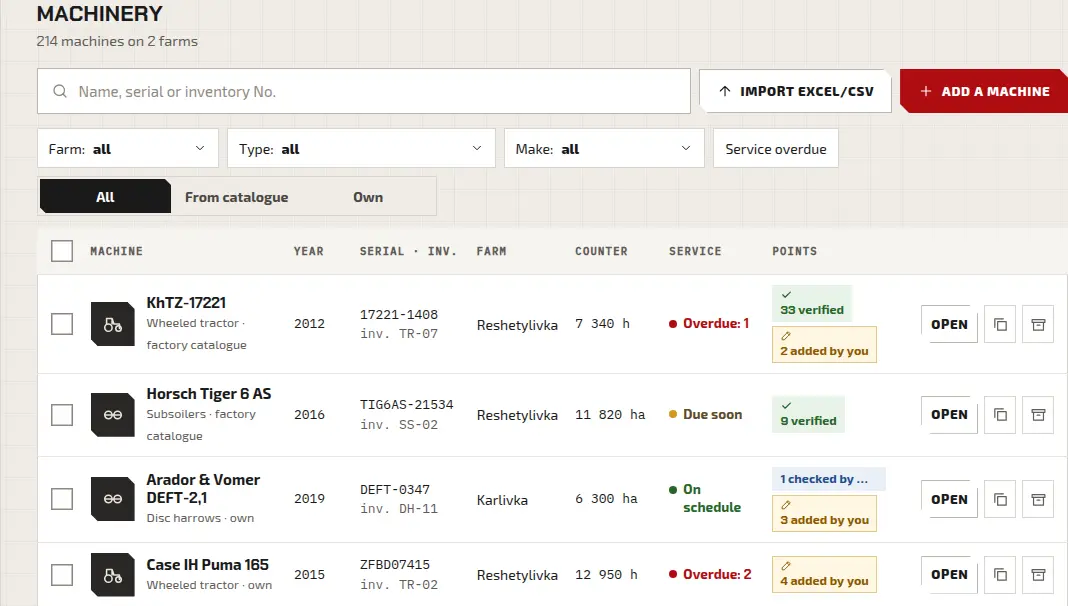
Add a machine from a factory catalogue (48 catalogues with 762 part numbers) or by hand: type, make, model. A similar machine can be added as a copy.
Each machine has its year, serial and inventory number, and an hour or hectare counter.
Assemblies down to every part
Without it: the number is looked up in a PDF catalogue for every repair.
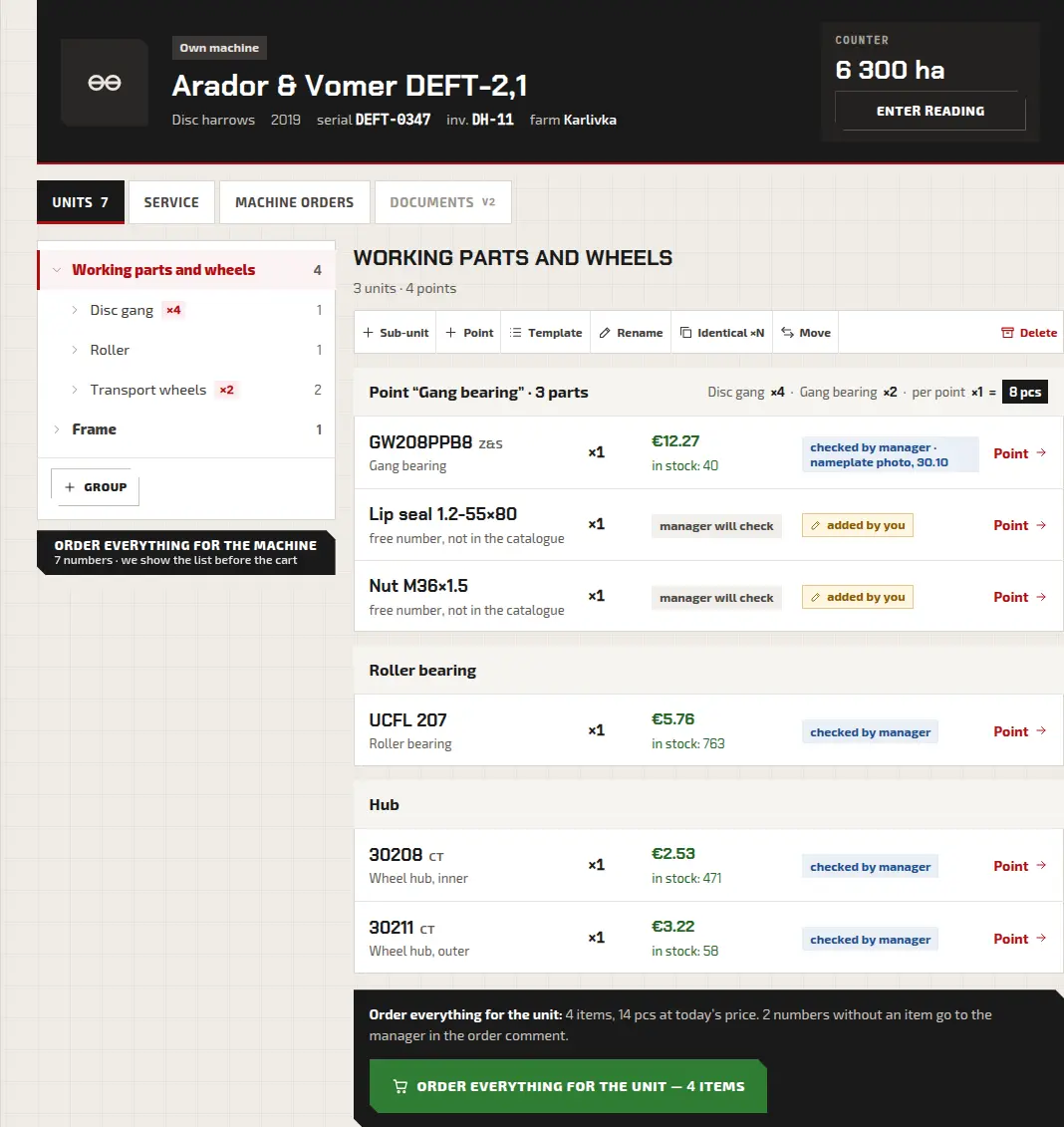
A machine tree: assembly, mounting points inside it, parts at each point. Every part has its number, today’s price and stock.
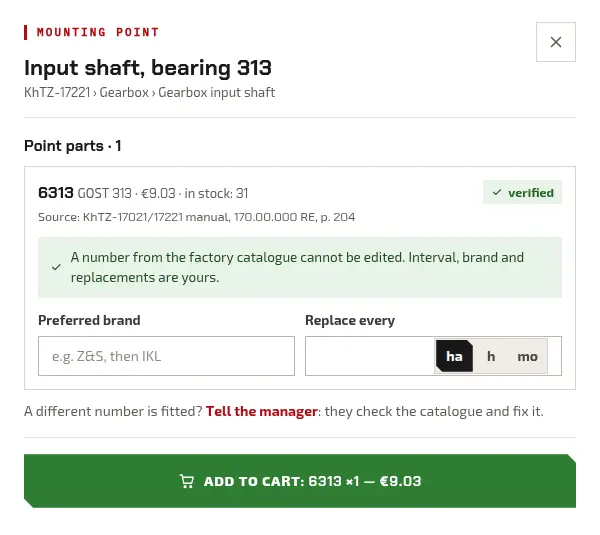
The account converts GOST numbers to ISO, and every part shows where its number came from:
verifiedchecked by manageradded by you
One button orders an assembly
Without it: an assembly order is put together piece by piece.
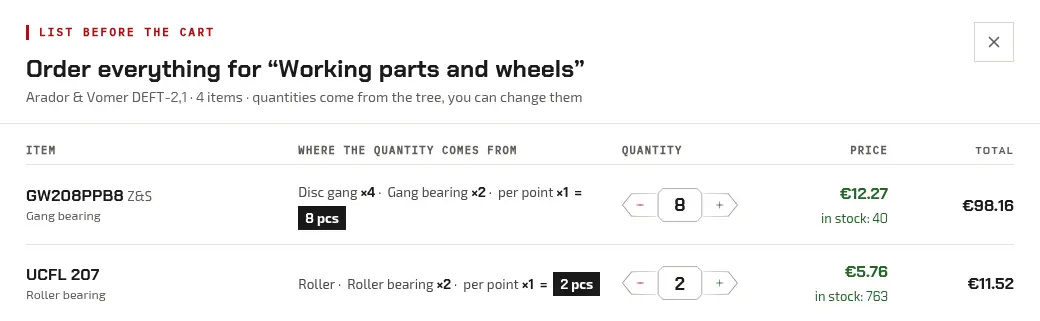
“Order everything” builds a request for an assembly or the whole machine. The account counts the quantity itself: four gangs with two bearings each make eight bearings.
Numbers with no catalogue item go to the manager in the order comment: they find the part and call back.
Service and replacement dates
Without it: dates in a notebook, a replacement remembered after a breakdown.
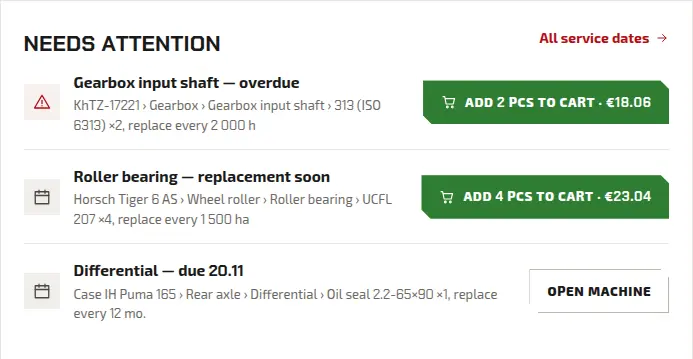
Across the whole fleet you see what is overdue and what is coming up. The interval is set at the mounting point: in engine hours, hectares or months.
Company and roles
Without it: the mechanic texts a messenger, the buyer asks again.
A company has 5 roles: owner, administrator, buyer, mechanic, viewer. Each has its own rights.
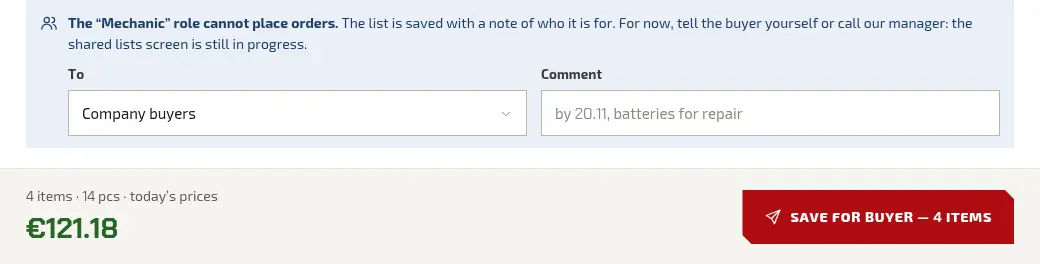
The mechanic role cannot place a request: what the mechanic collects for an assembly is saved as a list for the buyer. Staff and farms are added by the manager over the phone for now.
Repeat and move
Without it: last year’s order is typed in again.
A past request can be repeated: its items go into the cart at today’s prices. Machines saved in the browser before sign-in move into the account.

Coming to the account— in development; we will show it once it works
Three levels: this exact number, same geometry, check the version. A machinery maker fits a standard ISO bearing under its own part number; we decode the number, and the point lists every brand that makes it.
A summary with no company names: which numbers and brands others chose for the same point. A row appears only once enough farms are in it. A company can opt out.
Connect Claude or ChatGPT: the assistant finds the number and prepares a list. A person confirms the request.
An assistant already reads the catalogue: the page for AI agents
The buyer opens a list the mechanic collected, checks it and sends the request.
The owner invites a mechanic and a buyer and assigns roles without calling the manager.
Favourites and comparison visible in the account from any device.
A file of items instead of typing them in.
Invoices and delivery notes as files from the account.
Getting started— three steps
- 1Email
Enter your email and open the link from the message. The first sign-in creates the account.
- 2First machine
Find the model in a factory catalogue and its assemblies and numbers appear on their own. Not in a catalogue? Add your own.
- 3Staff
Call the manager: they add the mechanic and the buyer and assign roles.
Questions about the account— Mon–Fri 8:00–17:00, Madrid time (CET/CEST)
Cannot find your machine in a catalogue or unsure about a number? Call us and the manager checks it against the factory catalogue.